
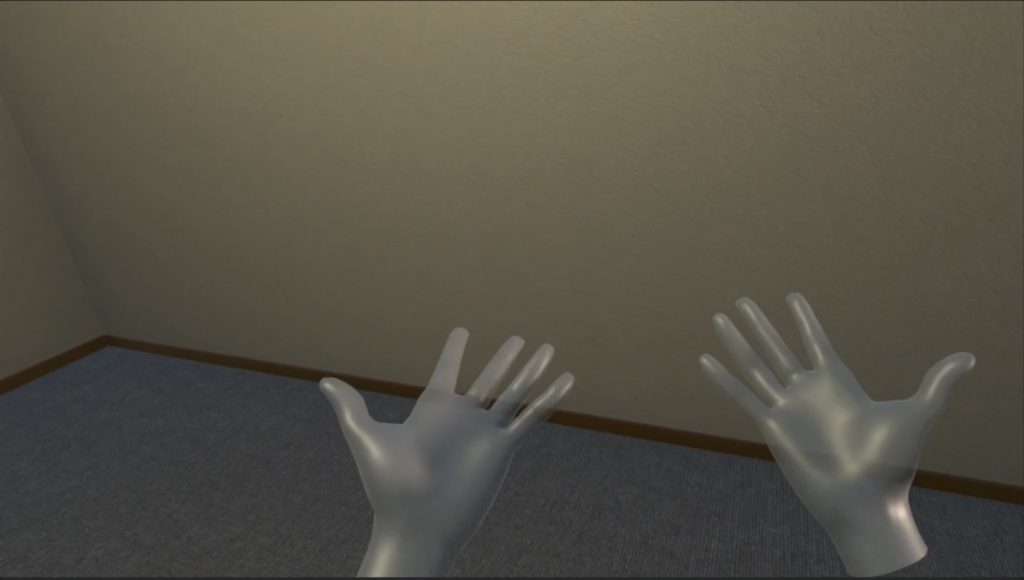
VR Greenland Glacier Visualization
A team of scientists studying glaciers in Greenland engaged UT Austin TAAC to design and implement a VR interface to enable them to study their extensive video footage. This required designing an experience that would allow scientists to “navigate” through their video footage and visually inspect areas of the glacier. Additionally, scientists wanted to have the ability to collaborate with one scientist in VR and others viewing the experience on a PC screen.
The main thing I developed and designed was the method for how the player would move around in the space, using hand tracking as the control method. We reasoned that many of the scientists we worked with had never used a controller before, so we hoped that using the user’s hands and simple hand gestures would provide more intuitive controls.
The Greenland Project was the first job and project that had me working with VR technology. I worked on this project for about a year, and in that year, I learned a great deal about how VR works and how to design for it. My primary role on this project was to serve as the lead VR designer and developer, working with the Topography data models prepared by the TACC team and gathered by scientists.
Roles
- VR Developer
- VR Design Consultant
- VR Hand Tracking Design
- Provided input on potential features
- Implemented controller interface
Design Challenge
Use of hand tracking for movement
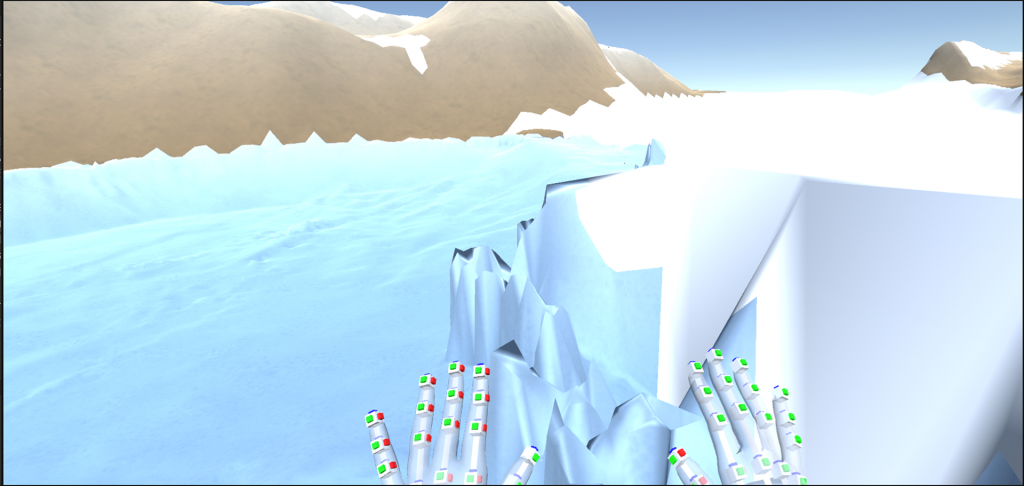
When I was first introduced to this project, the main thing that they wanted to see was the use of hand tracking for movement. Hand tracking is not commonly used for movement, so it took some testing and iteration to figure out a solution. There were two things that I realized through testing.
Due to the position of the camera trackers, there were some gestures that worked better than others to signal movement. How the system worked is that I would detect when people made certain gestures, in this case whether or not their hands were open or closed, and the tracker would see how far the fingers were curled to determine what gesture someone was making. My movement system design required people to stick their hands out in front of them and due to the camera angle, their own hand would cover their fingers. So the fist closed gesture did not work as well when it was activating functions since I needed the tolerance high for accuracy. I determined that the open hand gesture worked much better. I also felt that it would be better for the response of the controls to be high than to do something that may be a little more intuitive to control.
The topography map that the scientists created was very large and it would be difficult (and tiring) to move all that distance just by pulling yourself along. That’s why I added another method of moving that would “transport” you in the direction you looked at a much faster speed. This solved the long distance travel. I also did something similar for rotation, since you would be tethered in this experience. The long distance travel worked by spreading both hands out in front of you and moving them apart until a certain distance. The hands would both have to be open for this to work. For rotation, you would use your left hand to pan your rotation left or right.
Design Challenge
Drawing function for cast viewing
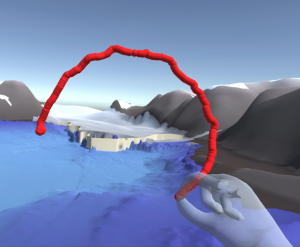
Another challenge was that the experience was a single player experience, but the scientist team wanted the ability for multiple scientists to view the at the same time and collaborate. To help resolve this, Implemented a drawing function so that when the player view is mirrored on the monitor, the player could point things out more easily. The player could activate the drawing in the menu, and once the drawing function was turned on the player would be locked in space and the hand tracking movement function would not activate, so the player could begin drawing. They would pinch with their pointer finger and their thumb and the drawing would begin in between their fingers. They would go back to the menu to turn drawing back off or to clear their drawing in the world. There was also a version of this made that would work with controllers. In that version, you did not need to turn drawing on and off, but a brush would appear that the player could grab and use. When they let go, it would appear back in the menu so they could find it again.
Design Challenge
Menu placement with hand tracking for movement
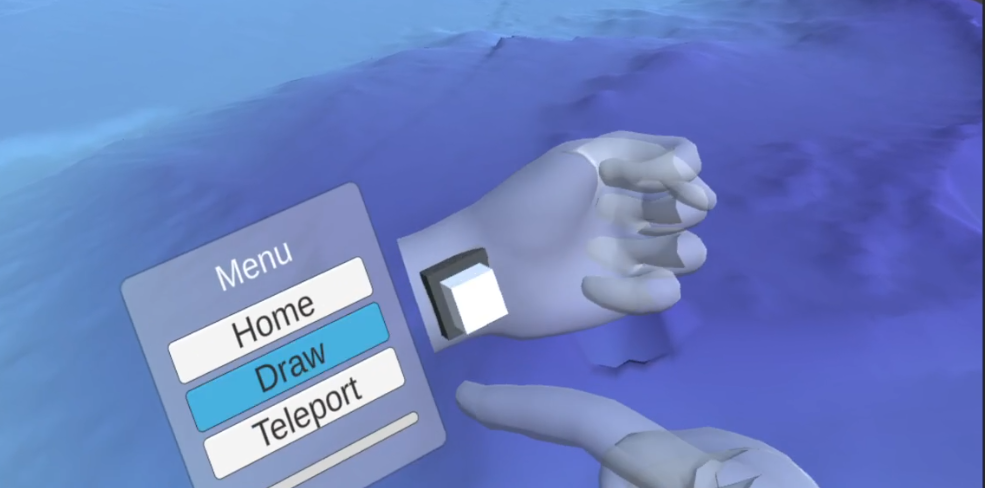
The last big challenge was the menu. Originally, I made the menus like I would have if a player was using a controller – but users found it difficult to use with the hand tracking movement system. The way you select buttons and menus differs when using controllers vs hand tracking. So I opted for a menu that would be close to the player, so that they could use their finger to “poke” the buttons. I anchored and interactable button to the players left wrist so that they would press into their wrist to open the menu. The menu would appear on their inner arm and move with it. This made it much easier and more intuitive for many users – especially ones less familiar with using VR.