
Code Red
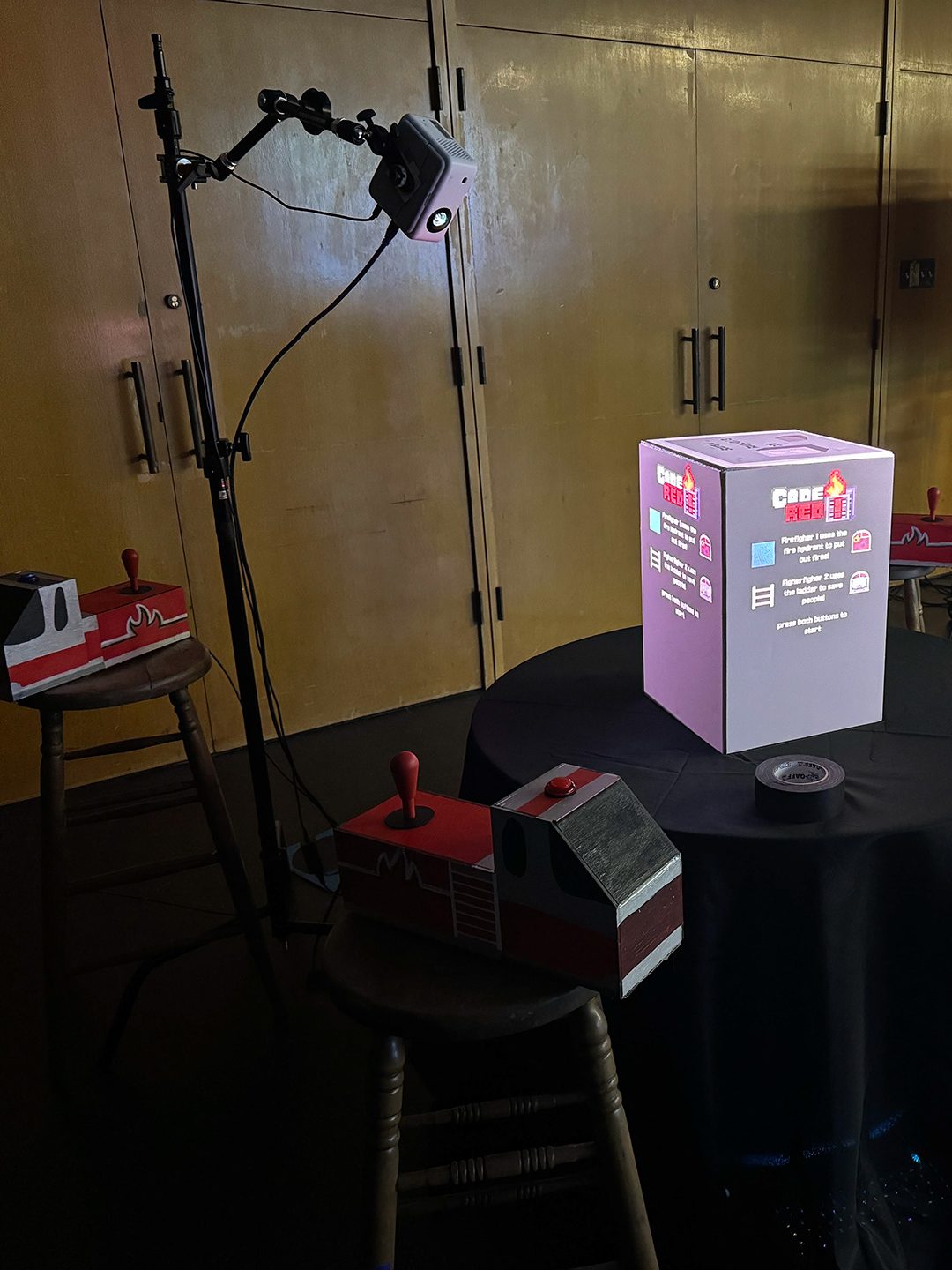
Code Red was a Capstone Project for Next Level Arcade from the Arts and Entertainment Technologies major at the University of Texas at Austin. Five others and I worked together to bring an experimental game to life in a single semester. For this project, I was the programmer and also assisted with the mechanics design. This game used projectors to bring a format that was not limited to a single screen, using the entire surface of an object to its fullest potential. We used two projectors to cast our game onto a cube. The projectors were cast onto all visible sides of the cube (aka building), so only five sides were used.
To go into further detail, the game we made is called Code Red, a two-player cooperative firefighting arcade game. Player one would control the firefighter putting out fires, and player two would control the person saving people from windows. The players will work together to put out all the fires and save as many people as they can within a set time. To utilize the cube, players would have to manage the fires and people on all the sides of the building, excluding the top. To do this, players are given two controllers, one in each of the opposite corners from where they are playing and they have to switch between them to manage all the fires and people. The players had an object they had to place on a pad near their controller. This would indicate which controller they were using and which side the character should be on. Players would play until the timer ends, giving them a score and showing a high score.
I programmed the game — including player controls, a system that handled the rounds, cutscenes, a system that spawned fire and people in random places and at certain times, and a high score system. The fire and people spawner would spawn a certain amount of each on all sides of the building; only spawning more if all of one type was put out or a round ended. One big hit when people played was the high scores that were shown at the end of a game. The top 5 scores were displayed at the end of each game, and the participants’ scores would be shown regardless of placement. It kept the competitive spirit of the game alive and drew in more people to participate
Roles
- Game Co-Designer
- Unity Game Programmer
- Mechanics Co-Designer
Design Challenge
Seamless transition between sides
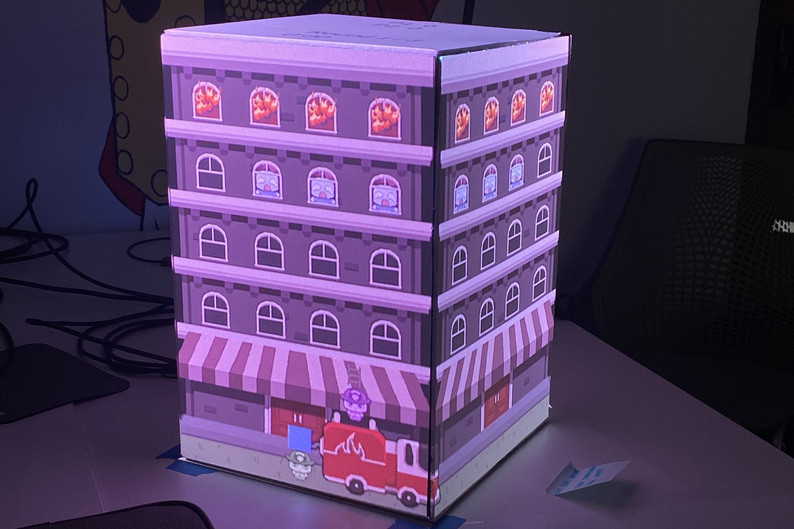
One design challenge for this project was the method for getting a player from one edge of the screen to the other seamlessly.
To solve the first issue, I initially thought of having multiple players on and off-screen, so when the player would run off-screen, the pre-placed player would enter. The major flaw with this idea is that I would eventually run out of players if someone kept running in a circle.
What I ended up doing was making it so a clone of the player would spawn after the initial player got close to the edge of the screen. It was timed so that once the player began to move off-screen, the clone moved on at the same time. After a point, to prevent the player from running off too far or walking back on screen too early, the initial player was despawned after a certain point, and a new clone would be made if the player went back to the edge.
Design Challenge
Restricting player to 2-sided view
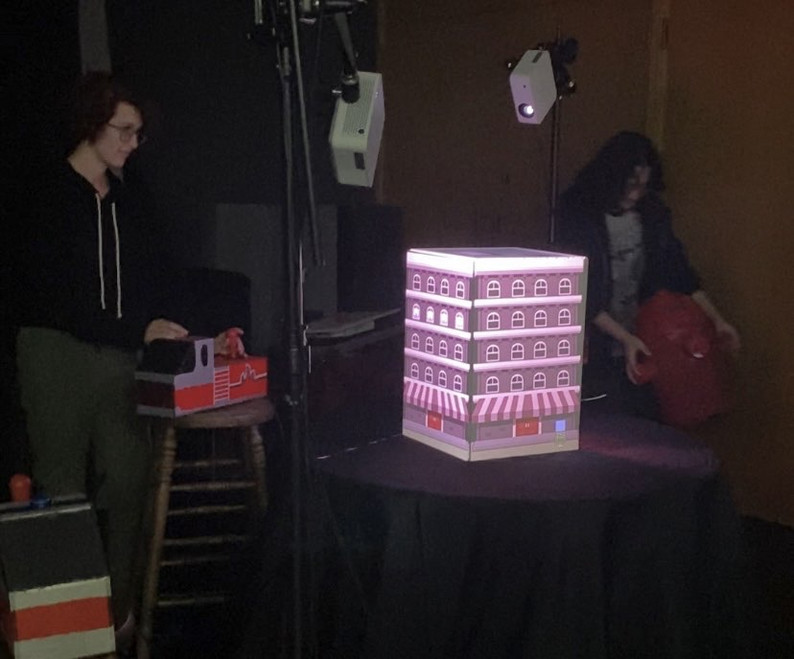
The second challenge with the play mechanics of the game was how to bind a player to specific screens depending on which panel and controller were activated. With the way the game was set up, players could only see two sides of the screen at a time. To give extra tension to the game, instead of making it so the player could freely move anywhere they wanted, we used sensors and objects to tell the game which controller the player was using and created a border that would affect each player differently. This border kept the player on the two sides of the screen that they could see. When they lifted their object off the sensor, the controls would lock and would only unlock when a player placed the object on one of their designated sensors again. The player’s character would automatically move within the border of the two screens that the player would see, then control would be returned. This prevented players from moving off-screen unintentionally and also losing the character.
Design Challenge
Water and ladder function

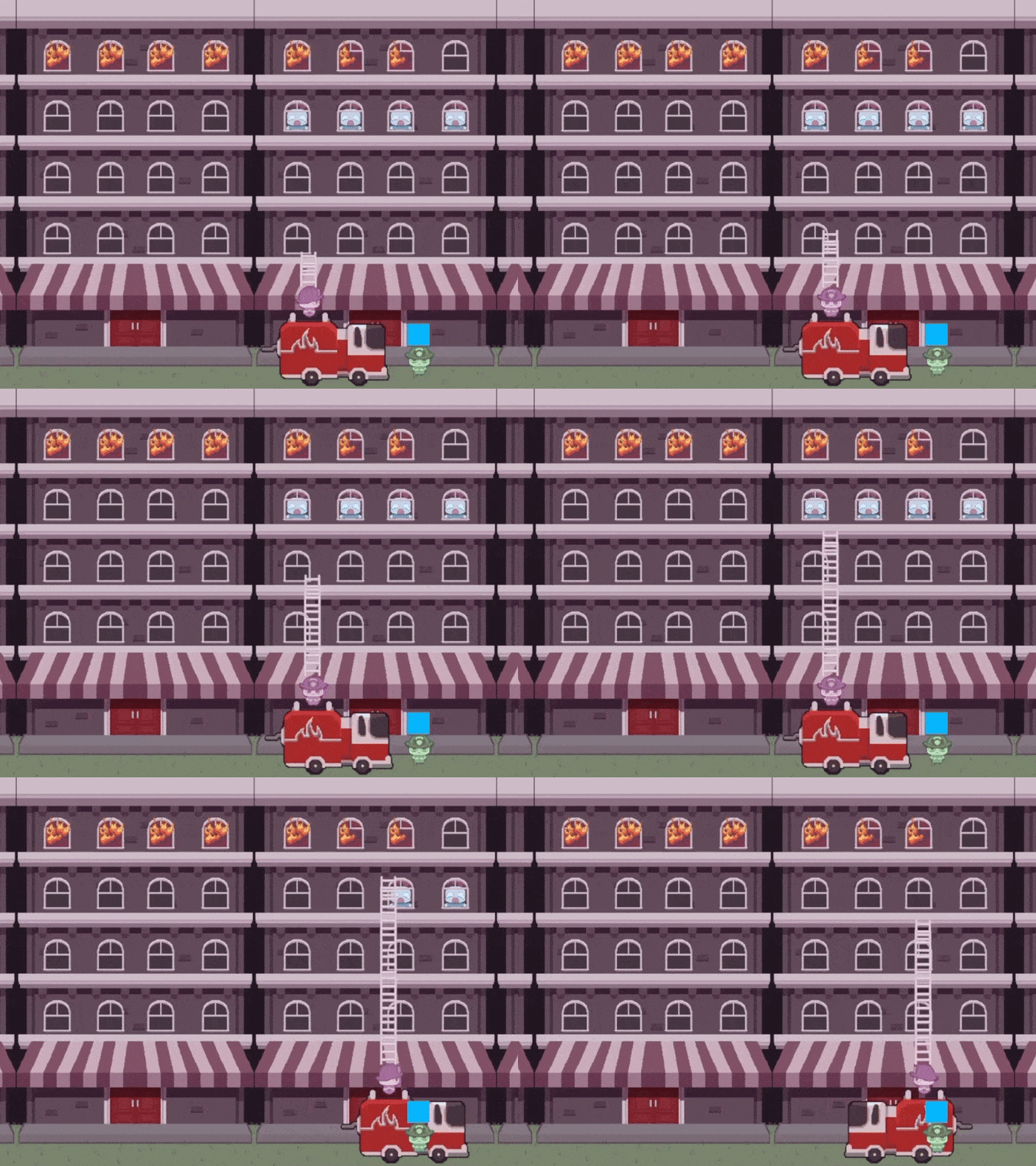
The final challenge was how the players would shoot up water to put out fires and extend the ladder to save people. This issue was not so much of an issue with functionality, but the appearance of the water and ladder was less than desired. The way I had made the water and ladder function was exactly the same, except one could put out fires and the other saved people. The water consisted of two cubes, one for the top of the water that would interact with the fire, and the other below it, that would stretch along the y-axis. The problem came in when I executed that function, and what it did to textures – especially the ladder. While this method worked well, it would cause the texture of the stretching box to stretch along with it. On the right you can see the ladder fix I attempted, but it was very choppy.
I was hoping to solve these issues before showing it to a live audience, but in the end, I ran out of time and decided that while it looked odd, functionally it worked and was still fun.